The free, ad-free browser editor for Valeton GP-200
Edit, share, and sync GP-200 presets from any browser
Runs on Linux, Windows, macOS — no install, no sign-up, no ads. Open source, community-driven, 100% free.
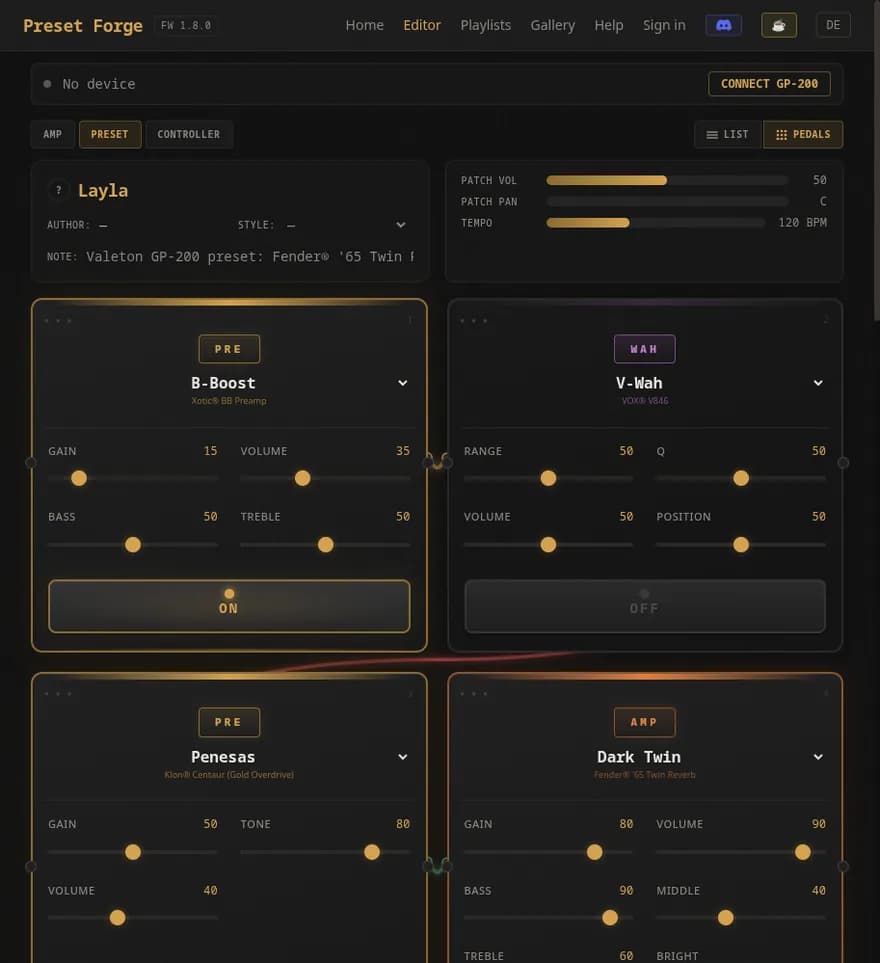
What you can do here
Browser-based Preset Editor
Drag, drop, and tweak all 11 effect slots. 305 modelled effects and amps. Live USB MIDI sync with the hardware. No install required.
Launch the editor →145+ Free Curated Presets
Browse community-shared presets from guitarpatches.com, search by amp, style, or effect. Download any preset and open it in the editor with one click.
Open the gallery →Browse by Real Amp
Looking for a Marshall JCM800 tone? A Fender Twin Reverb? A Mesa Rectifier? 64 amp category pages — every preset grouped by the real-world amp it models.
Explore amps →Import Line6 HX Stomp .hlx
Converted in the browser — no server round-trip. Drop your .hlx file and get a working .prst back. First and only web-based HX Stomp → GP-200 converter.
Timed Live Setlists
Build song-by-song playlists with cue points that auto-switch presets mid-song. 3-2-1 count-in. Sync to YouTube backing tracks. Nothing else does this for the GP-200.
Live USB MIDI
Pull the current preset from the device, edit it in the browser, push it back to the exact slot. Live knob updates when you turn Gain, Volume, EQ on the hardware.
What's New
Read the full changelog →Fix
- ·**Middleware-Auth-Guard erkennt `pt-BR`.** Die Regex `(de|en|es|fr|it|pt)` war beim Locale-Add nicht mitgezogen worden, sodass `/pt-BR/profile` & `/pt-BR/admin` den Cookie-Presence-Check der Middleware übersprangen. Page-Level-`validateSession` hat es abgefangen — kein Datenleck —, aber Defense-in-Depth weg. Regex wird jetzt aus `LOCALES` generiert; Test stellt sicher, dass jeder Eintrag der LOCALES-Tuple gematcht wird.
- ·**`/api/admin/comments` nutzt `withAdminAuth`-Wrapper** statt manuellem `try/catch(requireAdmin)` — konsistent zu allen anderen `/api/admin/*` Routen.
Frequently Asked Questions
Does Preset Forge work on macOS?
Yes. Preset Forge runs in any modern browser on macOS, Linux, and Windows. The official Valeton GP-200 editor is Windows-only, so this is the only way to edit GP-200 presets natively on Mac.
Is Preset Forge an official Valeton tool?
No. It is an independent, open-source community project. Valeton has not endorsed it. The .prst file format was reverse-engineered from real GP-200 presets.
Do I need to install anything?
No. Open the editor in your browser. It runs offline as a Progressive Web App after the first load.
Can I import Line6 HX Stomp presets?
Yes. Drop a .hlx file into the editor and Preset Forge converts the signal chain to a GP-200 preset (.prst) entirely in your browser — no upload, no server round-trip.
How do I sync presets to my GP-200 hardware?
Connect the GP-200 by USB and use Chrome or Edge (Web MIDI is not supported in Firefox or Safari). Preset Forge can read the active preset, send live parameter changes, and write a preset to a specific slot.
Is Preset Forge free?
Yes. No ads, no paid tier, no account required for browsing or editing. Sharing presets to the public gallery requires a free account.
Free · Ad-free · Open Source
Preset Forge costs you nothing and never will. No ads, no tracking beyond a single privacy-respecting analytics ping, no paid tier. It exists because one person needed it and thought you might too.
Valeton GP-200 preset editor — English.